
Motivation
A while ago I came across an intriguing YouTube video: “Coding Adventure: Marching Cubes” by Sebastian Lague.
It’s a simple process to generate a mesh from a field of values. I was immediately reminded of the games Space Engineers and Astroneer which probably use a similair system for their terrain.
To challenge myself I’ve only used the video as reference and not looked at Sebastians code. I did take his advice to use an existing triangulation table. But again I did not look at the code from that document.
The aim of this article is just to demonstrate how I interperated and implemented the “marching cube” algorithm but not to explain the concept of polygonising or the marching cube algorithm. If you want to have a good explenation I recommend using Sebastian Lague’s video and the listed resources from his video description.
Project Content
This project is a proof on concept of a terrain generator which should be suitable for an open world sandbox game. It has the following requirements:
- Generation need to be quick enough to generate new terrain live while playing.
- The terrain should be editable after generation.
- The terrain should be saved and loaded from the disk.
Expample of simple terrain using the voxel system:
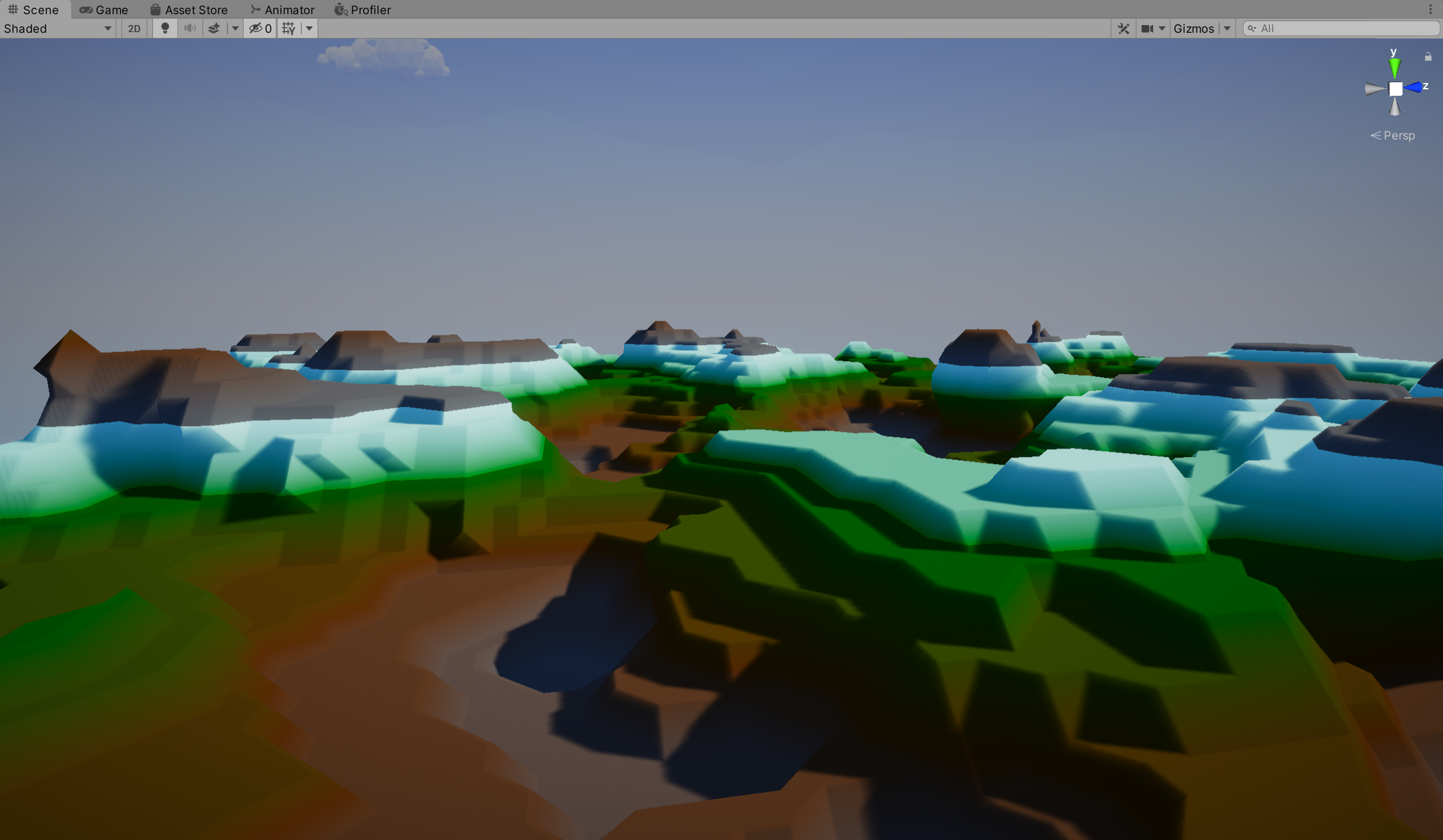
Expample of how the terrain is editable.

Project Structure
For this project I’ve choosen the Universal Project Template. This template uses the Universal Rendering Pipeline (URP) which formerly was know as Lightweight Render Pipeline.
In the scene hierarchy are the following relevant objects
Root
[FA_World]
Self spawning (as noted with the brackets) through a singleton .
Terrain
Has the Voxel Terrain Spawner (script) component which will spawn chunk objects as children.
A voxel
The term voxel means volumentric pixel, this can be any representation of a pixel as long as it has “volume”. A simple example being cubes (e.g. Minecraft terrain), every pixel (voxel) has a 3D location and on that location a cube is rendered.
Since a cube is already a recognisable (and stackable) shape it’s trivial to make a surface representation of an 3D shape. The voxel system from this project is sligthy more complex. The pixels (voxels) can have multiple “shapes” (15 unique) and these shapes are defined in the triangulation table.

-The configurations the voxel can take depending on the voxel points
Which shape a voxel has is determined by 8 values. To get these values we sample points from a 3D grid. If we make sure that every point is also used for the next voxel we automatically get a coherent surface. Because of this I will call the collection of 8 pixels a “voxel” and the values (which are technically the voxels) “voxel points”.

-Visualisation of how each (2D) voxel samples it’s voxel points.
Chunks of voxels
To make the terrain generatable while playing I divided the voxels in chunks of values.
Originally I made a single chunk contain 4^3 voxelPoints but this ended up too low resolution for my liking. You could ofcourse scale it down and have more chunks at the same time but the overhead of keeping track of all of the transforms alone proved to be problematic. So I bumped it up to 8^3 voxelPoints per chunk and I found this to be good enough.
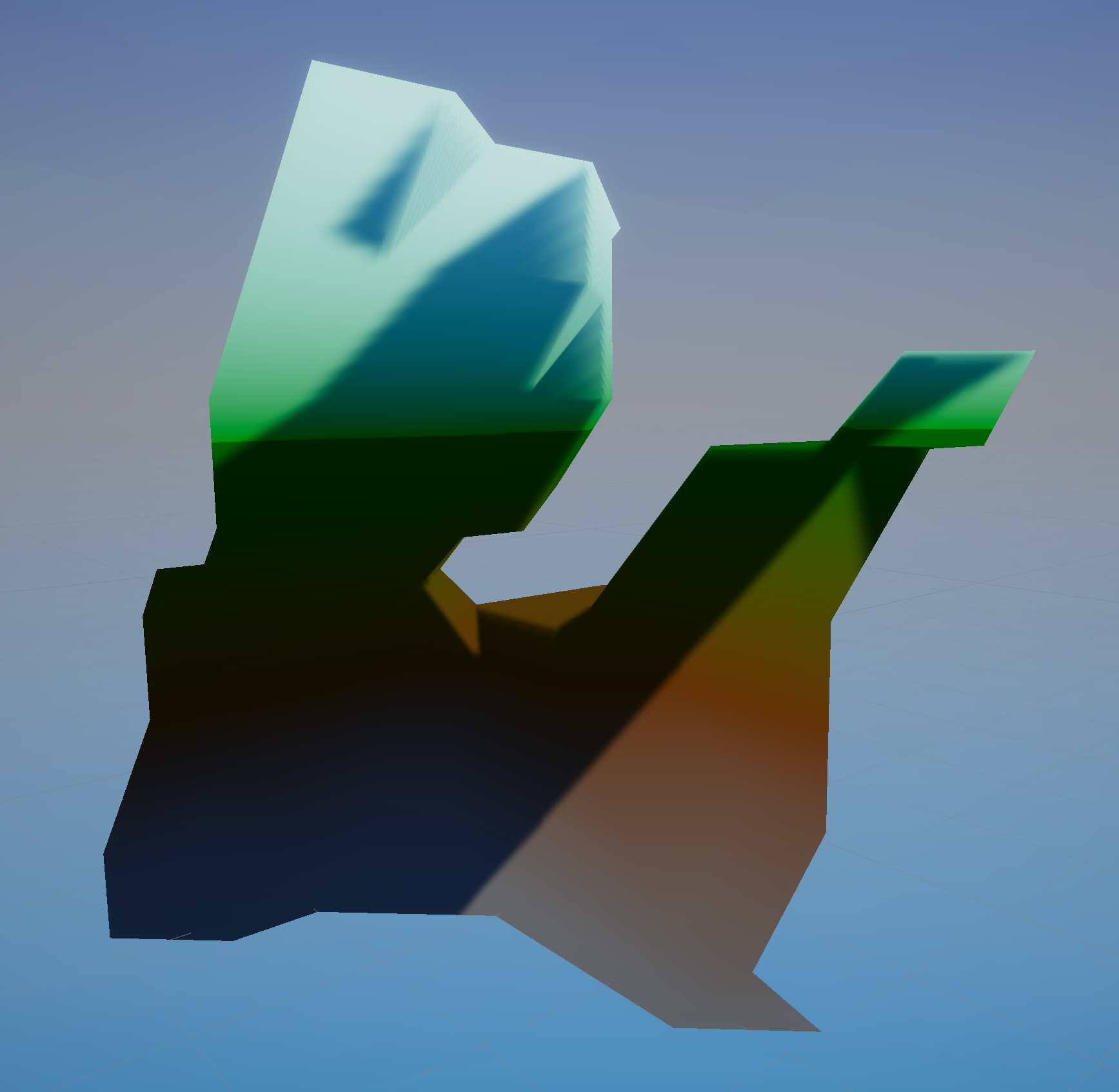
-Single 8x8 chunk filled with simplex noise.
Code
Mesh Generation
To finally get to the code, This is the function to create a single chunk.
- It loops through all the positions of the chunk.
- For every position it gets the associated chunkPoints.
- Looks up which shape the voxel should have (from the triangulation table)
- Converts the shape to 3D coordinates in the world so we can generate the mesh.
- Further more the function actually sets the mesh to the GameObject but I’ve omitted this for now (The function is multithreaded and needs synchronisation to the main thread).
private byte[] pointValues = new byte[8];

private void GenerateChunkMesh(object FA_Voxel_Render_LocalPosition)
{

	//Step 1
	for (byte y = 0; y < FA_Voxel_Chunk.CHUNK_UNITS; y+=1)
	{
		for (byte z = 0; z < FA_Voxel_Chunk.CHUNK_UNITS; z+=1)
		{
			for (byte x = 0; x < FA_Voxel_Chunk.CHUNK_UNITS; x+=1)
			{
				byte xP1 = (byte)(x+1);
				byte yP1 = (byte)(y+1);
				byte zP1 = (byte)(z+1);
				//(Step 1)


				//Step 2
				//remember y-up
				pointValues[0] = getChunkPointOrAdj(x, y, zP1, flooredTransform);
				pointValues[1] = getChunkPointOrAdj(xP1, y, zP1, flooredTransform);
				pointValues[2] = getChunkPointOrAdj(xP1, y, z, flooredTransform);
				pointValues[3] = getChunkPointOrAdj(x, y, z, flooredTransform);
				pointValues[4] = getChunkPointOrAdj(x, yP1, zP1, flooredTransform);
				pointValues[5] = getChunkPointOrAdj(xP1, yP1, zP1, flooredTransform);
				pointValues[6] = getChunkPointOrAdj(xP1, yP1, z, flooredTransform);
				pointValues[7] = getChunkPointOrAdj(x, yP1, z, flooredTransform);
				//(Step 2)


				//Step 3
				int triangulationIndex = createTriangleIndex(pointValues);

				int[] triangles = FA_ChunkSpawner.TRIANGLES[triangulationIndex];
				//(Step 3)


				//Step 4
				int i;
				for(i=0;triangles[i]>=0;i++)
				{
					//getVoxelVertexPositionAccurate returns the position of the vertex (relative to itself)
					//So we add the position of the Voxel to it (relative to the chunk)
					//Since the voxel uses two values for every dimension we divide it with 2.
					getVoxelVertexPositionAccurate(triangles[i])+new Vector3(x/2f , y/2f , z/2f )

					//For step 5 you should store these vertices in a list or buffer.
				}
				//(Step 4)
			}
		}
	}
	//Step 5 you should use the vertices to create a mesh object here.
}
The function used for step 2 is as follows. Here it becomes apparent why we should just double the values at the edges of the chunks. For every voxel we have to check if it should get it’s value from a neighboring chunk. I have optimised it a little by only checking the voxels that are on the edge of the chunk but I did not put much effort in because I was planning to change the chunk behaviour anyway.
private VA_Voxel_IO.FA_Chunk_Info mainChunk;
private byte getChunkPointOrAdj(byte x, byte y, byte z, Vector3 FA_Voxel_Render_LocalPosition)
{
	FA_Voxel_Grid terrainGrid = new FA_Voxel_Grid(); //We only have 1 grid for now but in the future we should retrieve the grid instance here.

	//Here we convert the local position of the chunk to the position of our chunk data structure
	FA_Vector3Byte chunkPos = new FA_Vector3Byte((byte)((FA_Voxel_Render_LocalPosition.x+x/2f)/FA_Voxel_Chunk.CHUNK_UNITS_HALF),
	(byte)((FA_Voxel_Render_LocalPosition.y+y/2f)/FA_Voxel_Chunk.CHUNK_UNITS_HALF),
	(byte)((FA_Voxel_Render_LocalPosition.z+z/2f)/FA_Voxel_Chunk.CHUNK_UNITS_HALF));

	//Check if the voxel is at the edge of the chunk, if this is the case we should get the chunkValue from the neigboring chunk.
	VA_Voxel_IO.FA_Chunk_Info chunk;
	if(x!=FA_Voxel_Chunk.CHUNK_UNITS&&y!=VA_Voxel_IO.CHUNK_UNITS&&z!=VA_Voxel_IO.CHUNK_UNITS)
	{
		//main chunk]
		if(mainChunk==null)
		{
			mainChunk = VA_Voxel_IO.Instance.getChunk(chunkPos, terrainGrid);
		}
		chunk = mainChunk;
	}
	else
	{
		chunk = VA_Voxel_IO.Instance.getChunk(chunkPos, terrainGrid);
	}

	return chunk.getVoxelPoint(x%VA_Voxel_IO.CHUNK_UNITS, y%VA_Voxel_IO.CHUNK_UNITS, z%VA_Voxel_IO.CHUNK_UNITS);
}
And for step 3 we loop through the 8 values. If the value is more or equal to 128 we toggle a bit at the index of the value. In S. Lagues video he has this value configurable but since we are generating all the values of the 3D grid anyway I don’t really see a point since you can just add an offset there to each individual voxel point)
int createTriangleIndex(byte[] values)
{
	int index=0;
	for(int i=0;i<8;i++)
	{
		if(values[i] >= 128)
		{
			index |= 1 << i;
		}
	}

	return index;
}
And for step 4 we convert the vertex index into the corresponding position (relative to the voxel itself). This position could be interpolated and this can look better depending on the aesthetics you are going for but in my opinion it looks messy if the scale is large. I also intent to directly modify the voxels on an individual level, if you interpolate this means that the voxels will grow smoothly. This does look nice but to stop at the right time can get tedious for the player in my experience.
//index is the triangulation table index
public Vector3 getVoxelVertexPosition(int index)
{
Vector3 res;

switch(index)
{
    case 0:
	res = new Vector3(0.5f,0,1f);
    break;
    case 1:
	res = new Vector3(1f, 0, 0.5f);
    break;
    case 2:
	res = new Vector3(0.5f, 0, 0);
    break;
    case 3:
	res = new Vector3(0, 0, 0.5f);
    break;

    case 4:
	res = new Vector3(0.5f,1,1f);
    break;
    case 5:
	res = new Vector3(1f, 1, 0.5f);
    break;
    case 6:
	res = new Vector3(0.5f, 1, 0);
    break;
    case 7:
	res = new Vector3(0, 1, 0.5f);
    break;

    case 8:
	res = new Vector3(0,0.5f,1);
    break;
    case 9:
	res = new Vector3(1, 0.5f, 1);
    break;
    case 10:
	res = new Vector3(1, 0.5f, 0);
    break;
    case 11:
	res = new Vector3(0, 0.5f, 0);
    break;

    default:
    	//This should never happen
	res = new Vector3(0,0,0);
	Debug.Log("Warning; THIS");
    break;
}

return res/2f;
}
Chunk Storage
Now we know how to generate the chunk from the values it’s time to generate and get these values. We could generate the values and feed this into our chunk generation class but since we need to think about how we interact with the values anyway I decided to first create the class which is responsible for storing and retreiving the values.
I’ve put all the functions and definitions needed to create, save and load chunks in the class called Voxel_IO.cs
Since this class is quite big I will post it in small parts.
Chunk units and simple singleton patern.
public class VA_Voxel_IO
{
	public const int CHUNK_UNITS = 8;
	public const int CHUNK_UNITS_M1 = CHUNK_UNITS-1;
	public const int CHUNK_UNITS_HALF = CHUNK_UNITS/2;
	public const int CHUNK_UNITS_POW2 = CHUNK_UNITS*CHUNK_UNITS;
	public const int CHUNK_UNITS_POW3 = CHUNK_UNITS*CHUNK_UNITS*CHUNK_UNITS;
Chunk data structure
I decided to split the chunk class in two parts. Later on the class type will be used to know which “state” the chunk is in.
- Never generated or saved to the disk.
- Generated previously but not loaded in ram (stored on the disk).
- Loaded in ram.
public class FA_Chunk_Base
{
	public byte x;
	public byte y;
	public byte z;
	public int fileSeekLoction;
}

public class FA_Chunk_Info : FA_Chunk_Base
{
	public byte[] points;
	public byte[] material;

	public byte getVoxelPoint(float x, float y, float z)
	{
	    int i = (int)(x%CHUNK_UNITS + z*CHUNK_UNITS + y*CHUNK_UNITS_POW2) ;
	    if(i>=CHUNK_UNITS_POW3)
	    {
		Debug.Log("invalid chunk position!");
		i=0;
	    }
	    return points[i];
	}


	public override string ToString()
	{
	    return $"ChunkInfo({x}, {y}, {z})";
	}

}
Storing chunks in memory
For easy access I’ve decided that all chunks are accessed through one function named getChunk(). This function is responsible for determining the “state” the chunk is in and to load it appropriately. Since the chunk is a (shared) resource I’ve protected it with a simple Mutex.
The chunks are tracked in the Dictionary chunkTable to unload a chunk we construct the FA_Chunk_Base from the loaded chunk and update this state in the chunkTable.
private Dictionary<FA_Vector3Byte, FA_Chunk_Base> chunkTable = new Dictionary<FA_Vector3Byte, FA_Chunk_Base>();

private static Mutex chunkAccessMux = new Mutex();

//chunkPos should be relative to the grid
public FA_Chunk_Info getChunk(FA_Vector3Byte chunkPos, FA_Voxel_Grid grid)
{
	FA_Chunk_Info res;

	//Look the chunk up in the Chunktable, if it's not there then generate it and add it. Else check if loaded and return
	if(chunkTable.ContainsKey(chunkPos))
	{
		if (chunkTable[chunkPos] is FA_Chunk_Info chunk_info)
		{
			//Chunk already loaded from disk
			res = (FA_Chunk_Info)chunkTable[chunkPos];
		}
		else// chunkTable[chunkPos] is FA_Chunk_Base chunk_base
		{
			//Chunk exist in disk but hasn't loaded yet

			chunkAccessMux.WaitOne();
			ReadChunk(chunkPos, grid);
			chunkAccessMux.ReleaseMutex();
			res = (FA_Chunk_Info)chunkTable[chunkPos];
		}

	}
	else
	{
		//Chunk doesn't exits, so we generate it

		//Debug.Log("Generating new chunk data for :"+ chunkPos);
		chunkAccessMux.WaitOne();
		GenChunk(chunkPos, grid);
		chunkAccessMux.ReleaseMutex();
		res = (FA_Chunk_Info)chunkTable[chunkPos];
	}

	return res;
}


public void ReleaseChunk(FA_Vector3Byte chunkPos)
{
	FA_Chunk_Base b = new FA_Chunk_Base();
	b.x = chunkTable[chunkPos].x;
	b.y = chunkTable[chunkPos].y;
	b.z = chunkTable[chunkPos].z;
	b.fileSeekLoction = chunkTable[chunkPos].fileSeekLoction;
	chunkTable[chunkPos] = b;
}
Storing chunks in storage
Since the chunks file can become quite large when there’s a lot of terrain I’ve attemped to nmake it random access. This is the first time I’ve tried something like this and I haven’t tested or benchmarked it.
Another option (which could especially be usefull for terrain) would be to only save the points which are changed. In this case you would always generate the chunk and then apply the changes which are loaded on disk. Since I was planning to generate the chunks on the cpu this wouldn’t be viable but if you can generate it fast enough (through a compute shader) this approach would probably better. It however would make random access a lot more difficult since the chunks won’t have fixed sizes anymore.
public void Write(FA_Voxel_Grid grid)
{
	//Saving goes in two steps, first the ChunkTable is updated and then the VoxelData

	string fileName = "World_Info_"+grid.GetGridName()+".dat";

	using(FileStream  fileStream = new FileStream(fileName, FileMode.Create))
	{
	    using (BinaryWriter writer = new BinaryWriter(fileStream))
	    {
		int i=0;
		foreach (FA_Chunk_Info chunk in chunkTable.Values)
		{
		    writer.Write(chunk.x);
		    writer.Write(chunk.y);
		    writer.Write(chunk.z);
		    writer.Write((i*(CHUNK_UNITS_POW3+CHUNK_UNITS_POW3/8)));
		    i++;
		}
		writer.Flush();
		writer.Close();
	    }
	    Debug.Log(grid.GetGridName()+" saved");
	}

	fileName = "World_Voxels_"+grid.GetGridName()+".dat";

	using(FileStream fileStream = new FileStream(fileName, FileMode.Create))
	{
	    using (BinaryWriter writer = new BinaryWriter(fileStream))
	    {
		foreach (FA_Chunk_Info chunk in chunkTable.Values)
		{
		    for(int i=0;i<CHUNK_UNITS_POW3;i++)
		    {
			writer.Write(chunk.points[i]);
						if(i%8==0)
						{
			    writer.Write(chunk.material[i/8]);
						}
		    }
		}
		writer.Flush();
		writer.Close();
	    }
	}

	}

public void Read(FA_Voxel_Grid grid)
{
	string fileName = "World_Info_"+grid.GetGridName()+".dat";

	using(FileStream  fileStream = new FileStream(fileName, FileMode.OpenOrCreate))
	{
	    using (BinaryReader reader = new BinaryReader(fileStream))
	    {
		while(fileStream.Length!=fileStream.Position)
		{
		    FA_Chunk_Base nC = new FA_Chunk_Base();
		    nC.x = reader.ReadByte();
					nC.y = reader.ReadByte();
					nC.z = reader.ReadByte();
					nC.fileSeekLoction = -1;
		    chunkTable.Add(new FA_Vector3Byte(nC.x, nC.y, nC.z), nC);
		}
		reader.Close();
	    }
	}
}

private void ReadChunk(FA_Vector3Byte chunkPos, FA_Voxel_Grid grid)
{

	string fileName = "FA_World_Voxels_"+grid.GetGridName()+".dat";

	using(FileStream fileStream = new FileStream(fileName, FileMode.OpenOrCreate))
	{
	    fileStream.Seek(chunkTable[chunkPos].fileSeekLoction, SeekOrigin.Begin);

	    using (BinaryReader reader = new BinaryReader(fileStream))
	    {
		byte[] points = new byte[CHUNK_UNITS_POW3];
		byte[] materials = new byte[CHUNK_UNITS_POW3/8];
		for(int i=0;i<points.Length;i++)
		{
		    points[i] = reader.ReadByte();
		    if(i%8==0)
		    {
			materials[i/8]=reader.ReadByte();
		    }
		}
		byte x=chunkTable[chunkPos].x;
		byte y=chunkTable[chunkPos].y;
		byte z=chunkTable[chunkPos].z;

		chunkTable[chunkPos] = new FA_Chunk_Info();
		chunkTable[chunkPos].x = x;
		chunkTable[chunkPos].x = y;
		chunkTable[chunkPos].x = z;

		((FA_Chunk_Info)chunkTable[chunkPos]).points=points;
		((FA_Chunk_Info)chunkTable[chunkPos]).material=materials;

		reader.Close();
	    }
	}
}